Patient search
Open Patient in the sidebar. You land on Patient Search by default.
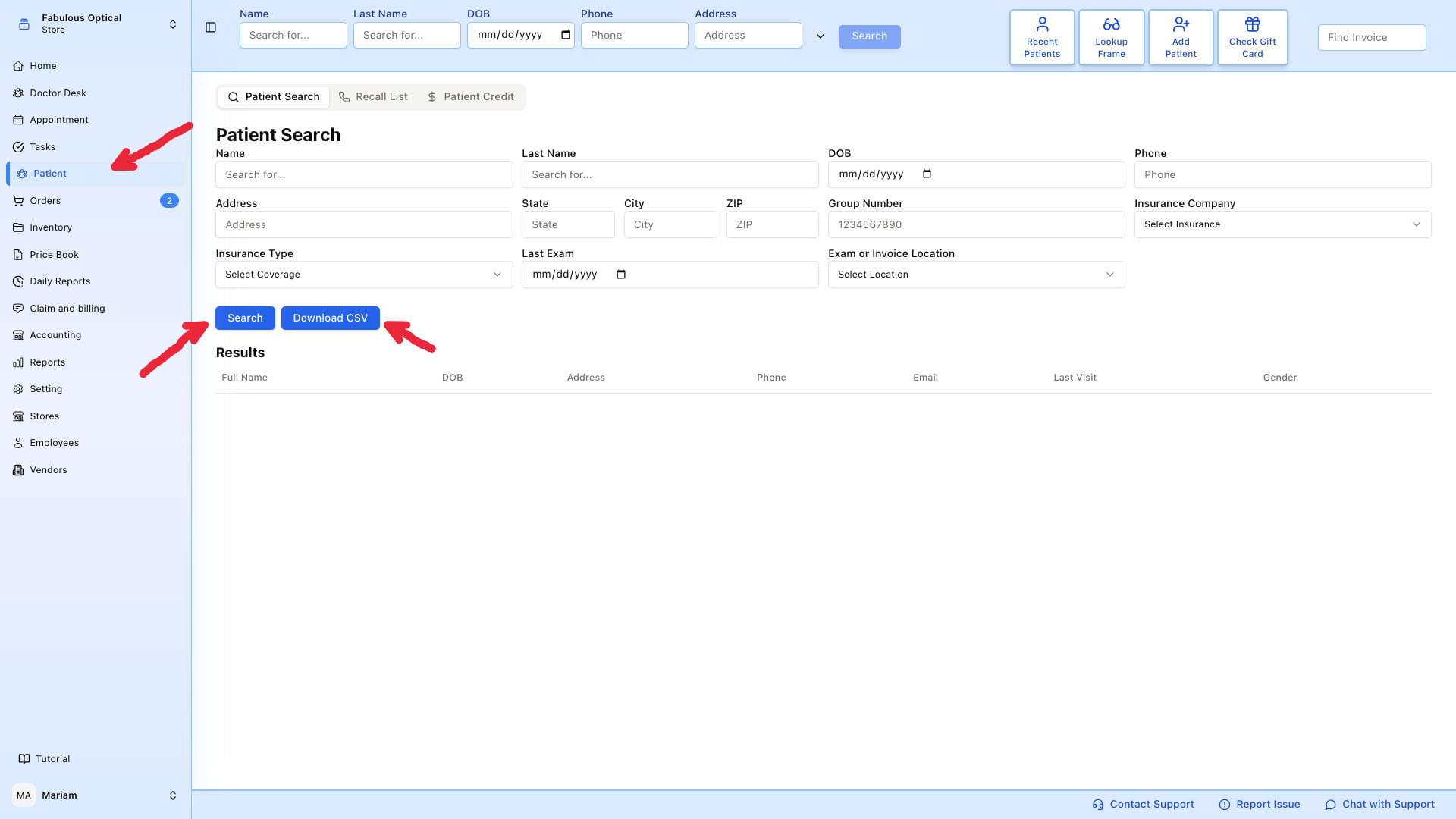
The whole page is one form: fill in one or more fields, click Search, and matching patients show up in the Results table below.
Fill in only what you know
You don't have to fill every field. The most common searches are:
- Just a last name — quickest way to find a returning patient.
- Last name + DOB — resolves same-name patients (there are always two "John Smith"s).
- Phone — great when a patient calls in and you have caller ID.
- Insurance company + Group Number — for insurance-first workflows.
All the filters
| Field | What it matches |
|---|---|
| Name / Last Name | First / last name, partial match |
| DOB | Exact date of birth |
| Phone | Cell, home, work — matches on any |
| Address | Street address, partial match |
| State / City / ZIP | Address parts, exact match |
| Group Number | Insurance group number |
| Insurance Company | Pick from the list of companies in Settings |
| Insurance Type | Vision / Medical / etc. |
| Last Exam | Only patients whose last exam was on that day |
| Exam or Invoice Location | Store where they were last seen or billed |
Results
Each row shows: Full Name · DOB · Address · Phone · Email · Last Visit. (There is a Gender heading too, but nothing is currently printed under it.)
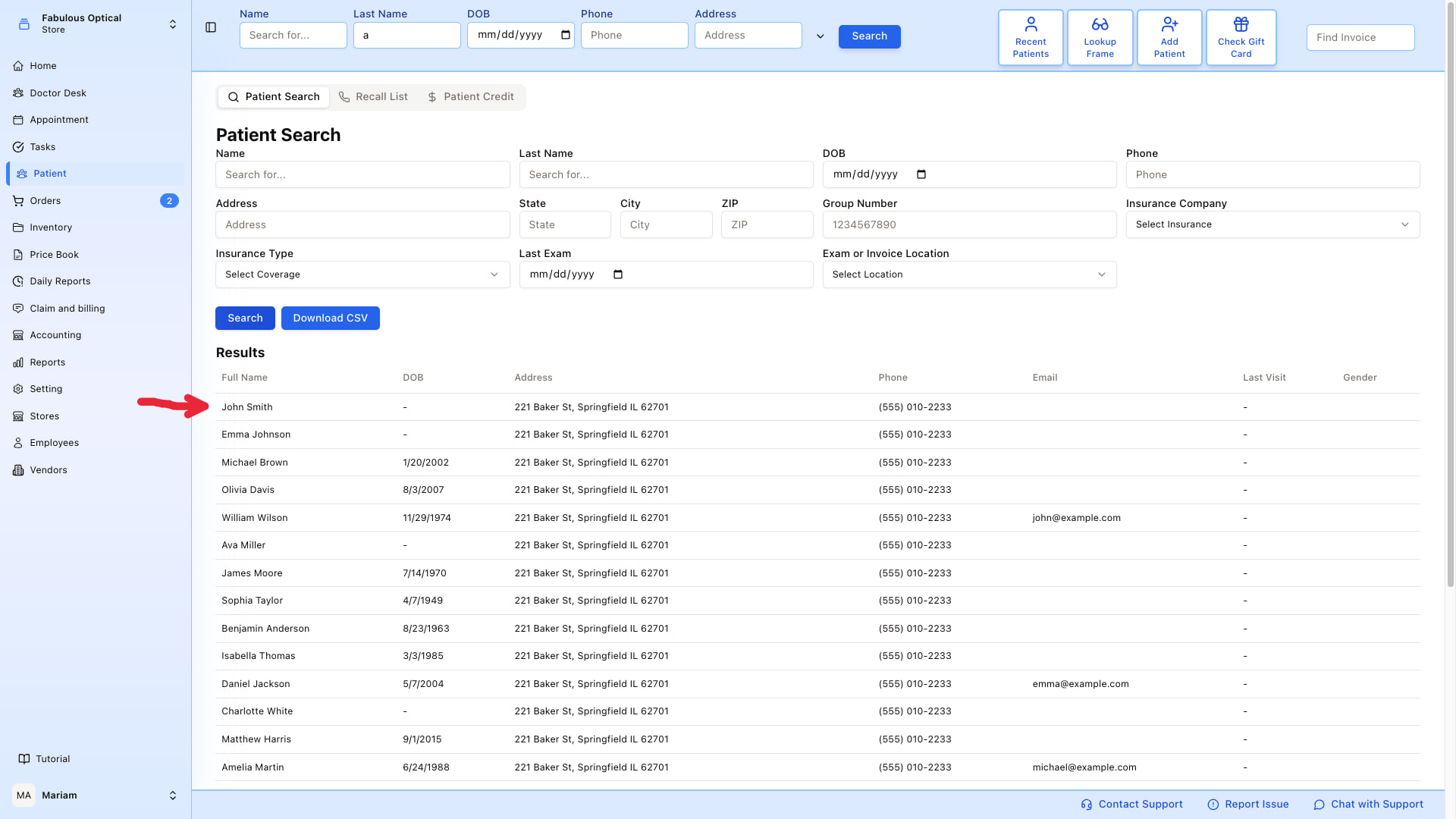
Click any row to open that patient's card.
Download CSV
Download CSV (next to Search) exports every patient in the practice, not the rows you are looking at — the filters on screen are ignored. Filter the spreadsheet afterwards. Useful for mailing lists, insurance audits, or handing a list to another system.