Appointment requests
Requests are appointment slots that patients themselves ask for from outside the app (for example from your website's booking form). They land here as a to-do list for the front desk — you either turn each one into a real appointment or cancel it.
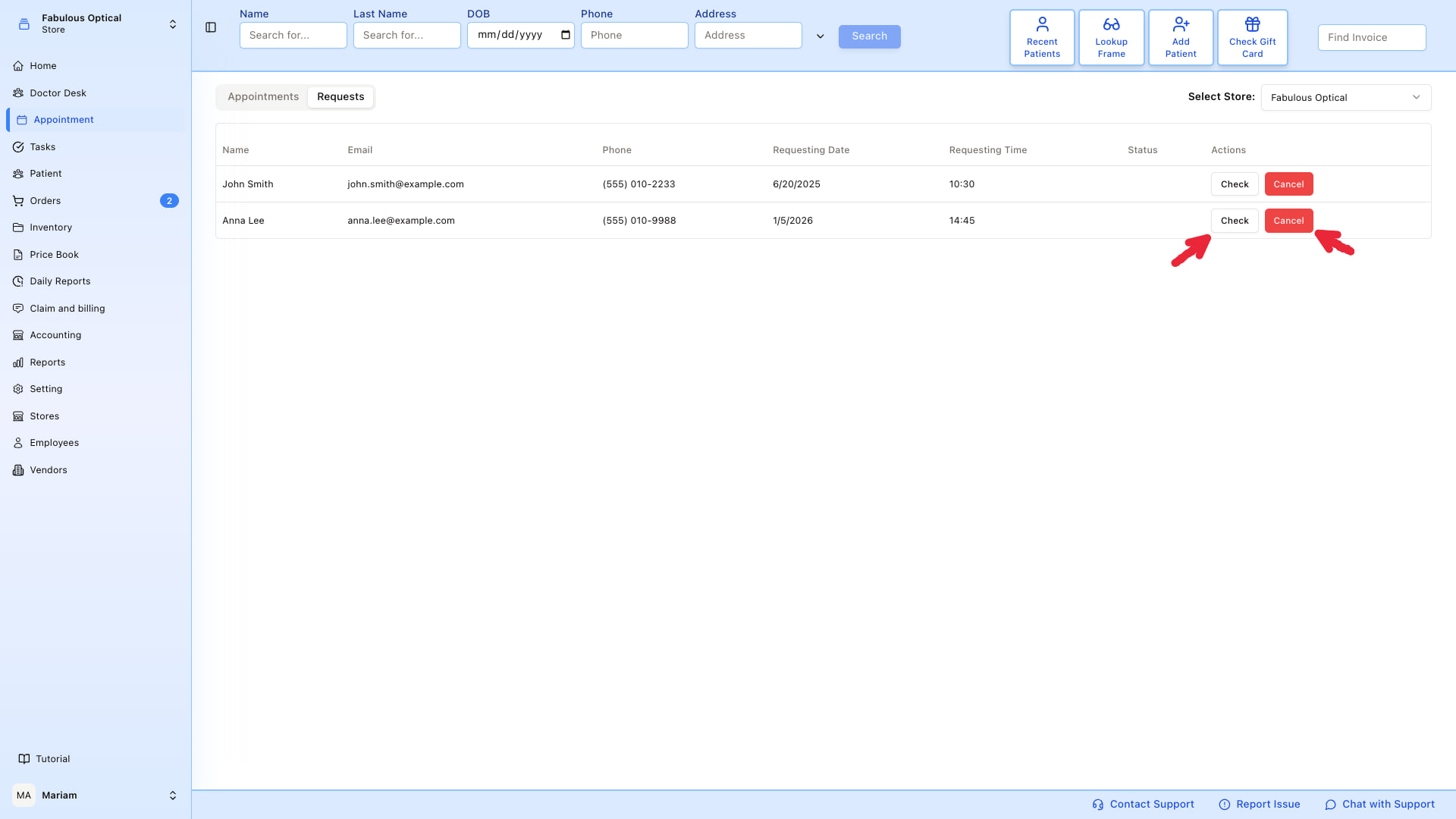
Open Appointments in the sidebar and switch to the Requests tab.
What you see
A table with one row per request:
- Name — what the patient typed
- Email and Phone — how you'd contact them back
- Requesting Date and Requesting Time — the slot they'd like
- Status — pending until you act on it
- Actions — Check (turn it into an appointment) or Cancel (reject it)
The Select Store dropdown at the top right filters requests by location. By default it opens on your own store.
Accept a request → book the appointment
Click Check on the row.
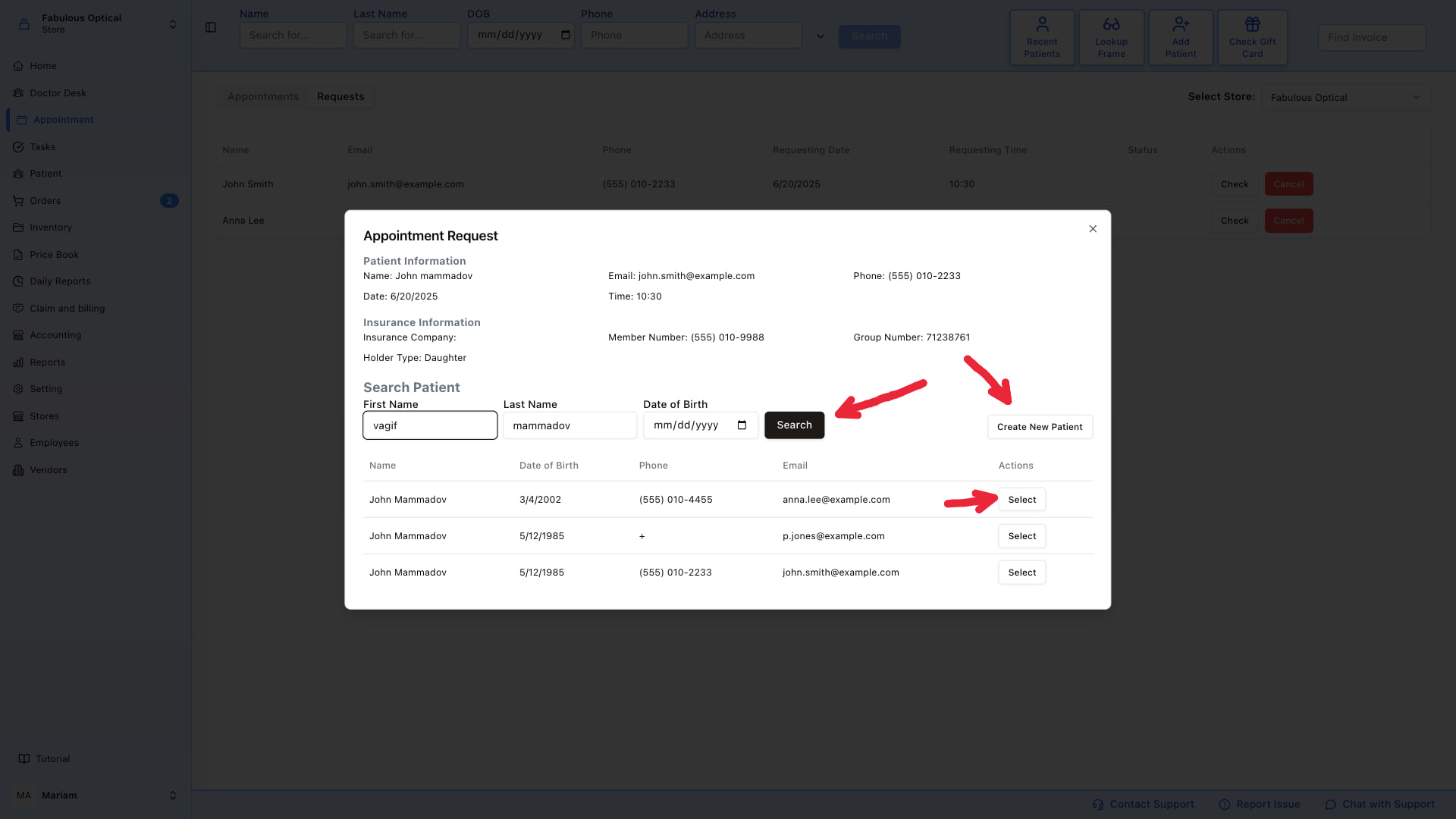
The Appointment Request window shows what the patient submitted:
- Patient Information — name, email, phone, requested date/time
- Insurance Information — insurance company, member number, group number, holder type
Below that is a Search Patient form (First Name, Last Name, Date of Birth). Requests come with just a name and contact details, so the patient may or may not already be in your database.
- The form opens already filled with the name from the request and the search has already run, so any matches are usually listed before you touch anything. Adjust the fields and click Search to look again.
- If the patient exists — click Select on their row.
- If not — click Create New Patient. The new-patient form opens already filled with what the request had (name, email, phone); complete the rest and click Submit. SightHub then opens the new patient's page, so go back to Appointments → Requests, click Check on the same row again, and select the new patient.
Once you select a patient, the window shows the patient's card on the left and a booking form on the right, pre-filled with the requested date and start time (and the note, if the request had one). Check Doctor: if the box looks empty, pick the doctor yourself. It is a shorter form than the usual one — Doctor, Start, Day, End, Appointment Note, Insurance and Status, with no New Patient tick, referral source or visit reason. End is left empty — fill it in, the form will not save without it. Then click Create an appointment.
If the booking is refused, the red message says why — for example, the doctor works at another store on that date. Pick another doctor or time.
Watch out: after you have selected a patient once, the next request you Check may open straight on the booking form with that same patient. Click Close under the patient's card on the left to get back to the search, then pick the right person.
Cancel a request
Click the red Cancel button on the row. There is no "are you sure?" step — one click cancels it. The request is marked as declined and the list refreshes.
Use Cancel when the slot isn't available, the request looks like spam, or the patient already booked another way.
Where requests come from
Patient-facing forms (your website, patient portal) post to SightHub and appear here. Which locations accept requests at all is a set of switches under Settings → General → Appointment → Available Locations. See Appointment settings.