Send an intake form
An intake form is a link SightHub texts to the patient before their visit. They click it, fill in their information themselves (contact, insurance, medical history), and it comes back into their record in SightHub. No typing at the front desk on arrival.
When to send it
- Right after you book a new patient — they can fill it in from home.
- Before a returning patient's visit if their insurance or contact details might have changed.
- Any time the patient offers to update their info themselves.
If your store has the Intake Form switch on in Settings (its description reads Automatically send forms to new patients), new patients may already have received the form without anyone pressing Send.
Nothing stops you pressing Send twice, so agree with your colleagues who does it — the patient will simply get the message again.
How to send it
- Open the appointment: on the Appointments tab, click the coloured block.
- In the Edit appointment window, look on the right side under the label "Whould you like to send intake form?".
- Click the blue Send button.
The button is only in the Edit appointment window — save the booking first, then reopen it to send.
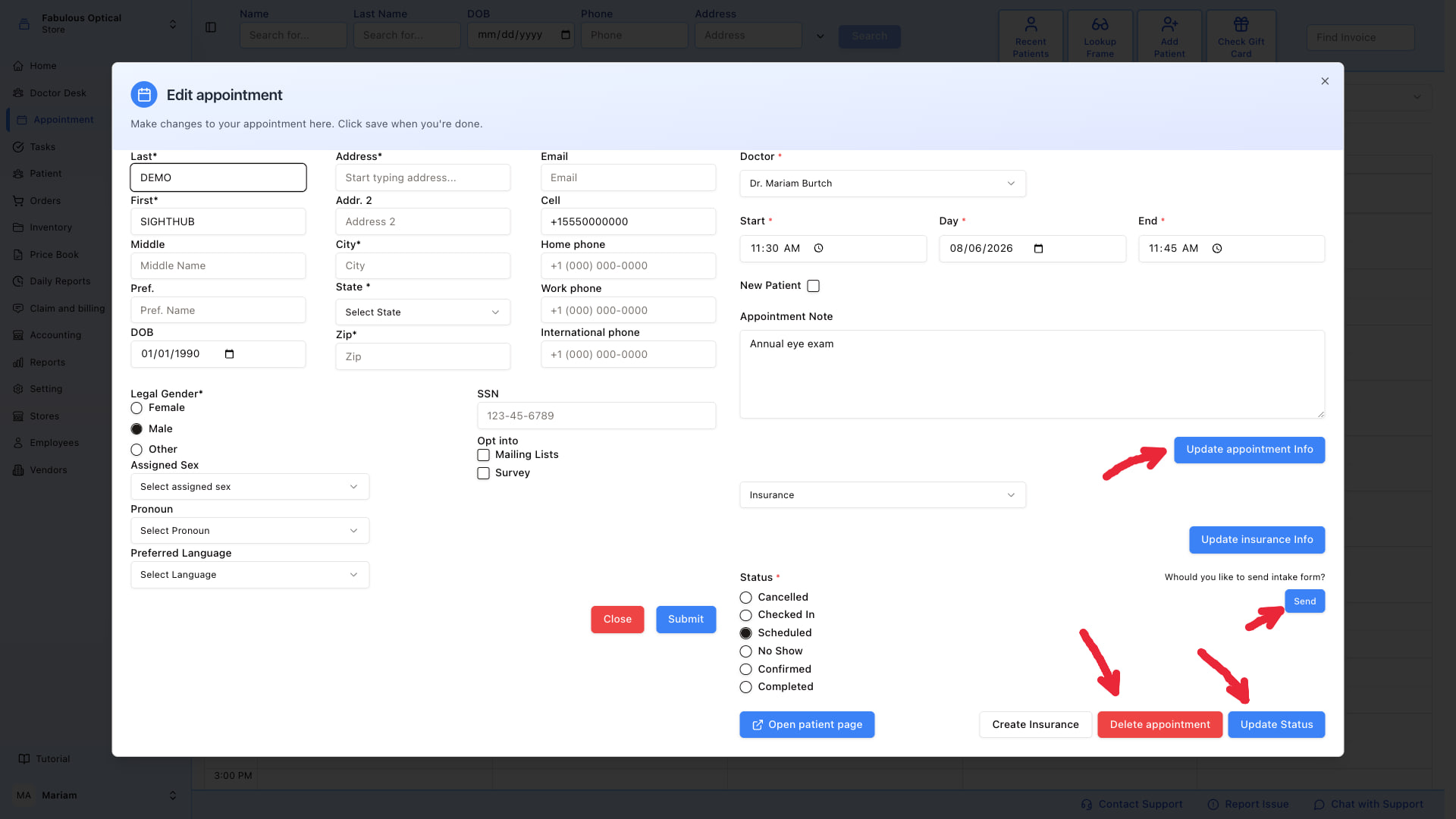
You'll see a green "Intake form sent successfully" toast in the corner.
What happens next
- The patient gets an SMS with the intake link.
- They open it in their browser (phone or laptop — the form is mobile-friendly).
- They fill in the fields and submit.
- Their answers go into their patient record and their insurance on file.
You don't have to do anything until they show up — the record is already updated when they walk in.
If sending fails
If you see a red toast, read it — it carries the reason SightHub gave (if there is none, it just says "Intake form could not be sent"). Things to check:
- No mobile number on the patient's record. The link goes by text, so add a Cell number on the patient's page and try again.
- The intake form switch for this location. There is a per-location switch under Settings → General → Appointment → Intake Form; check that it is on for the store the appointment belongs to. See Appointment settings.