The file viewer — one patient document
Clicking a row in the Files widget opens that document on its own page: the file on the left, everything known about it on the right.
You reach it from either side of the record — the front-desk patient card or the doctor's medical chart. ← Back to Patient Files returns you where you came from.
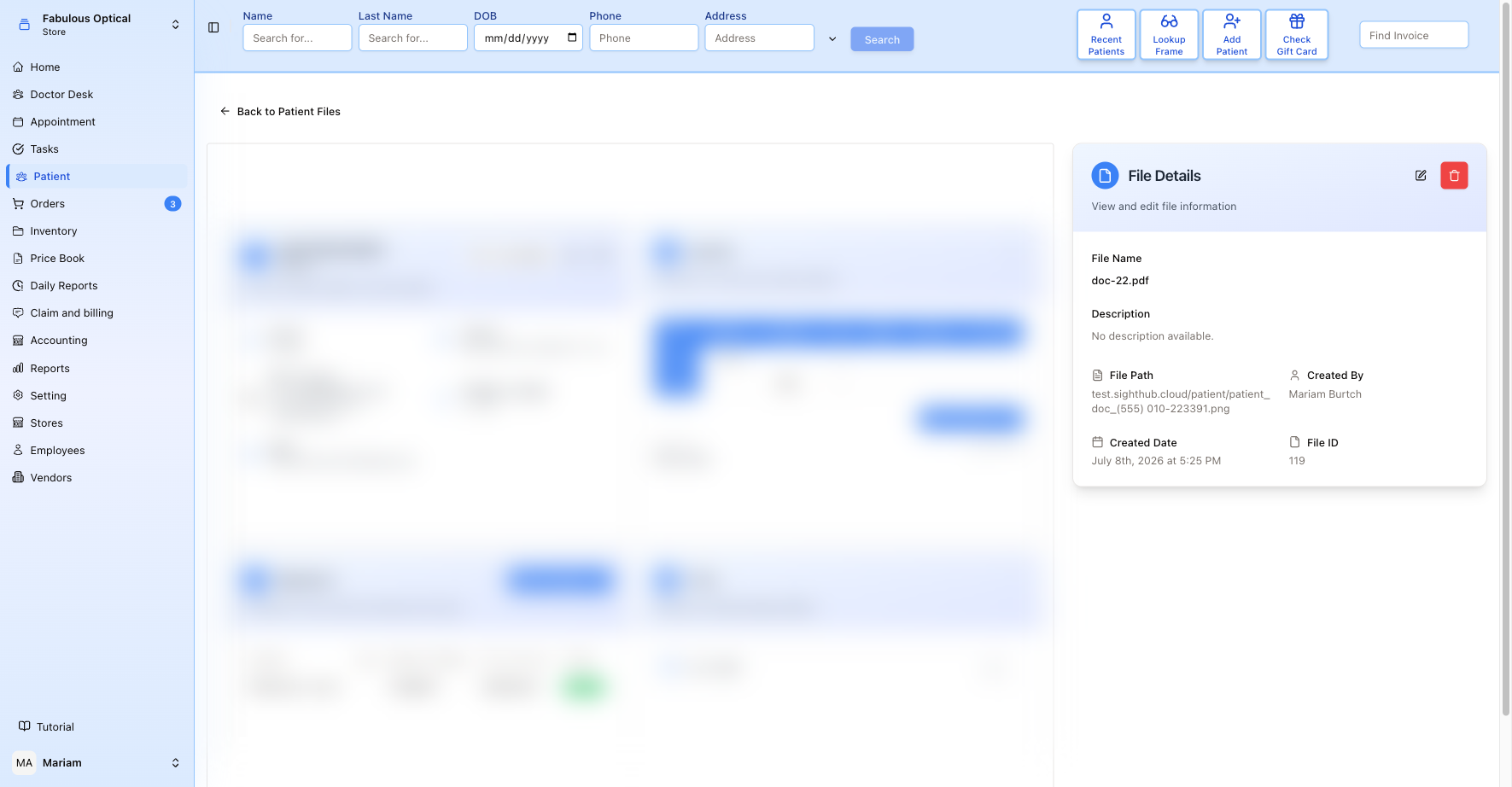
(the document itself is blurred in this screenshot — a real patient file would show through)
The preview
What you see on the left depends on the kind of file:
- PDF — the document in a built-in reader, with a Download PDF button underneath. The downloaded file is named after the stored copy — the original name with a long number added to the end.
- Picture (JPG, PNG) — the image itself, fitted to the panel.
- 3D model (STL, OBJ, PLY, GLB, GLTF, 3MF) — a 3D viewer. It says Opening the 3D model… for a moment, then shows the model on a light grey background — in grey, unless the file carries its own colours.
- Anything else — Word, Excel, DICOM, USDZ — cannot be shown in a browser. You get the file name, a short note (This file type can't be shown in the browser — download it to open.) and a Download button. For DICOM the note reads DICOM image — open it in your imaging software after downloading.
Working with a 3D model
- Drag with the mouse to turn the model.
- Scroll to zoom in and out.
- Right-drag to move it across the panel.
- Reset view (top right) puts it back the way it first opened.
The hint Drag to rotate · scroll to zoom · right-drag to move sits in the bottom-left corner. Under the viewer, a bar shows 3D model with the file type, and a Download button.
An OBJ model is always shown in plain grey — its colours live in a separate .mtl file, which the viewer does not read. If the model cannot be opened at all, a red message appears in its place.
When the preview does not load
If the file cannot be fetched, you get a crossed-out camera icon where the preview should be, and no download link — reload the page, and if it keeps happening, upload the document again. A card reading No PDF file available to display means the record has no file attached at all. If the page shows Error loading file instead, the document's details could not be loaded; Try Again repeats the request.
File Details
- File Name — what the file is called. On the front-desk viewer that is the name the file had on the computer it was uploaded from, unless someone has renamed it here.
- Description — free text; empty files say No description available. This field exists on the front-desk version of the viewer only; opened from the doctor's chart, there is no Description.
- File Path — where the document is stored.
- Created By and Created Date — who added it and when.
- File ID — the document's number, the same one that appears in the address.
Renaming and describing
The pencil icon turns the card into a form:
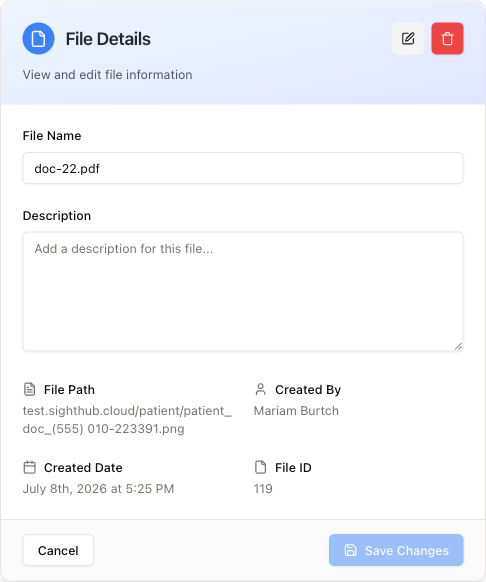
Change the File Name, write a Description, then Save Changes — which stays greyed out until you have actually changed something — or Cancel to drop the edits. A description is worth writing: "insurance card, front" saves the next person opening five files to find the right one.
Deleting
The red bin removes the document from the patient's record on the first click, with no "are you sure?", and then takes you back to the patient. Check you have the right file first — the name and the ID are both on screen.
It is not quite gone: an administrator can bring it back from the Deleted Files report.