Daily Reports — closing the day and reading the numbers
Daily Reports is the money side of the day: what was sold, what was taken, and whether the drawer matches the system. Nine pages across the top — Daily Close, Medical Daily Close, Daily Sale, Daily Cash, Monthly, Yearly, Journal, Transfers, Receives.
Who can see which page
Each of the nine pages is its own permission, and each one is given per store. A manager switches them on in Employees → Permissions, on the Daily Reports permissions card. The permission names match the page names: Daily Close, Medical Daily Close, Daily Sale, Daily Cash, Monthly, Yearly, Journal, Transfers, Receives.
So one person can, for example, close the day at their own store but not see the Yearly figures, or see Daily Sale for two stores and not the third.
What you see when a permission is missing:
- A yellow "No access to this report" box — in place of the page on Daily Close, Medical Daily Close, Daily Sale and Daily Cash, and under the form on the pages with Generate Report. It names the permission you are missing — You don't have the "Daily Close" permission for this store — and where a manager turns it on: Employees → Permissions → Daily Reports permissions. On Yearly, Journal, Transfers, Receives and Monthly you also get a red message saying the same when you press Generate Report.
- A shorter Location list. On Yearly, Journal, Transfers and Receives, the Location list shows only the stores where you hold that particular report. It starts on your own store if you are allowed there, otherwise on the first store you are allowed. If you are allowed nowhere, the open list says No stores permitted for this report.
- "You are not permitted to see the "Yearly" report for this store" (with the page's name) — you picked a store your permission does not cover.
Daily Sale — the sales dashboard
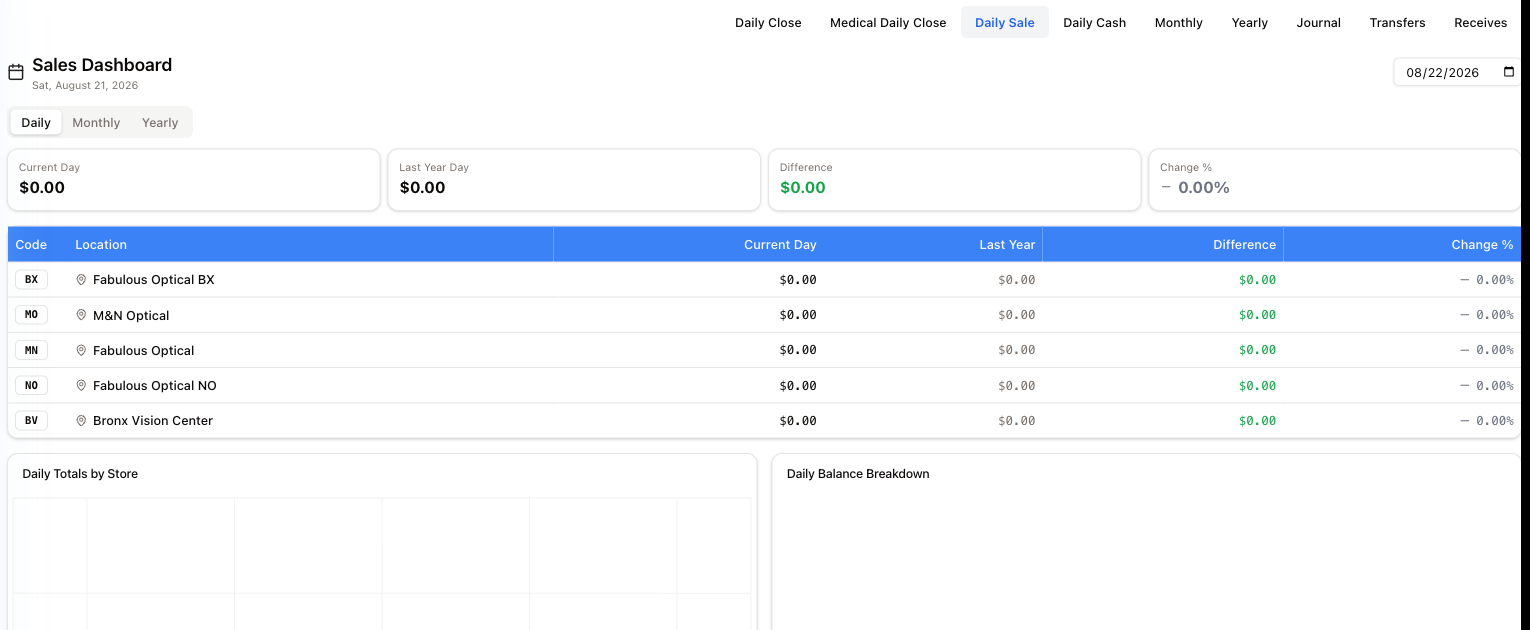
Pick a date, then read across:
- Daily / Monthly / Yearly switches the period.
- Four figures on top: Current Day, Last Year Day, Difference, Change % — today against the same day last year, for the store you are working in.
- The table repeats that per location, with the store's short code (BX, MO, MN, NO, BV).
- Daily Totals by Store and Daily Balance Breakdown chart the same numbers underneath.
A dash (—) in place of an amount or a percentage means there is no figure for it — typically no data for the same day last year. It is not zero, and it is not an error.
Daily Close — counting the drawer
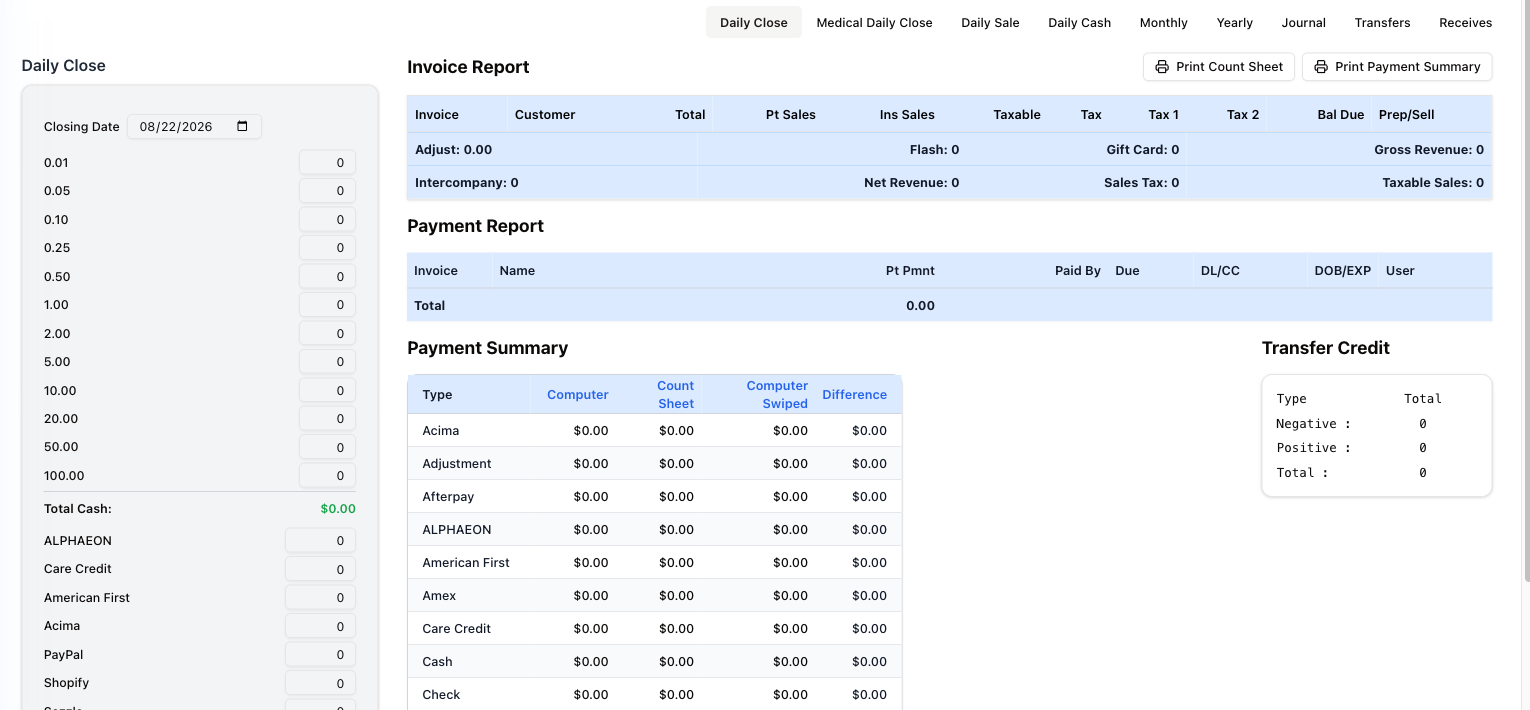
This is the end-of-day reconciliation, and the most consequential screen in the section.
On the left — the count. Closing Date at the top says which day you are closing; it opens on today. A row per denomination, from 0.01 to 100.00: enter how many of each you have, and Total Cash adds it up. Below the cash, a row per payment method — ALPHAEON, Care Credit, PayPal, Zelle, Amex, Visa / MC and the rest — for what each one took. The Cash line fills itself from Total Cash and cannot be typed in. Save stores the count.
Change the Closing Date and the count follows it: a day that was already counted shows what was saved, and a day with no count yet starts with every denomination at zero.
On the right — three reports.
- Invoice Report — every invoice of the day with its totals, tax and balance due, and a summary line: Adjust, Flash, Gift Card, Gross Revenue, Intercompany, Net Revenue, Sales Tax, Taxable Sales.
- Payment Report — every payment taken, with who took it.
- Payment Summary — the reconciliation itself, a row per payment type with four columns: Computer (what the system recorded), Count Sheet (what you counted), Computer Swiped (what the terminal reported), and Difference. Anything other than zero in Difference is what you chase before going home.
Transfer Credit on the side totals credit moved in and out — negative, positive and net.
Print Count Sheet prints the count sheet for the Closing Date; Print Payment Summary prints the reconciliation.
Medical Daily Close is the same exercise for the medical side of the business. It is a separate permission from Daily Close.
Journal — the receipts report
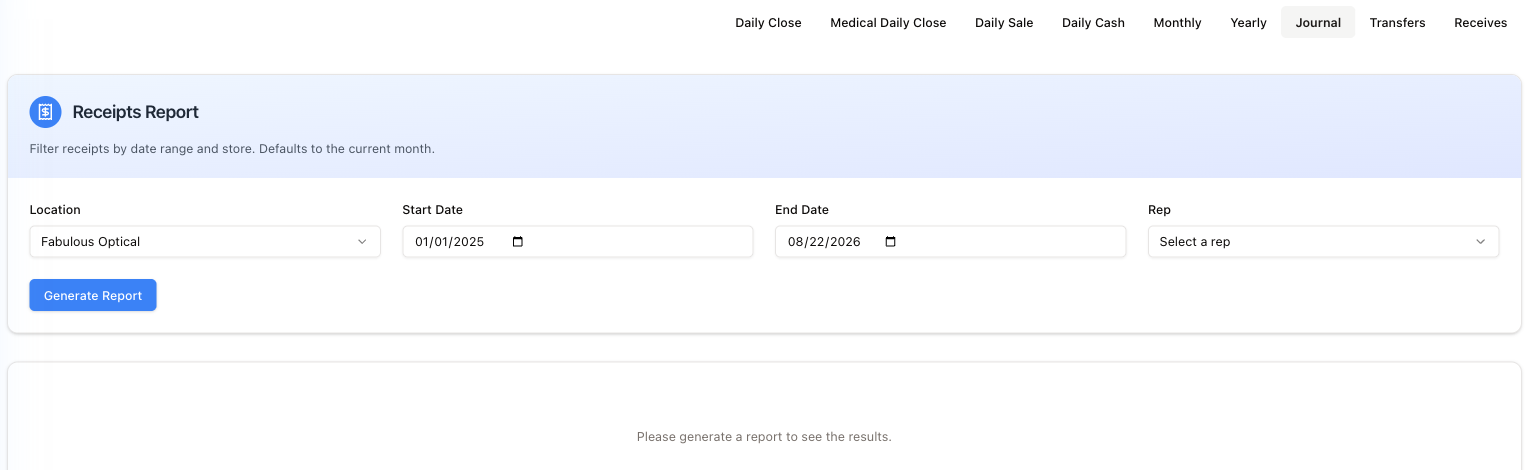
Filter receipts by Location, a Start / End Date range and a Rep, then Generate Report. It shows nothing until you generate — the placeholder says so. Check both dates first: they are meant to open on January of last year to today, but they usually come up empty — see the note on dates under Good to know.
Daily Cash — the same day, but the money taken
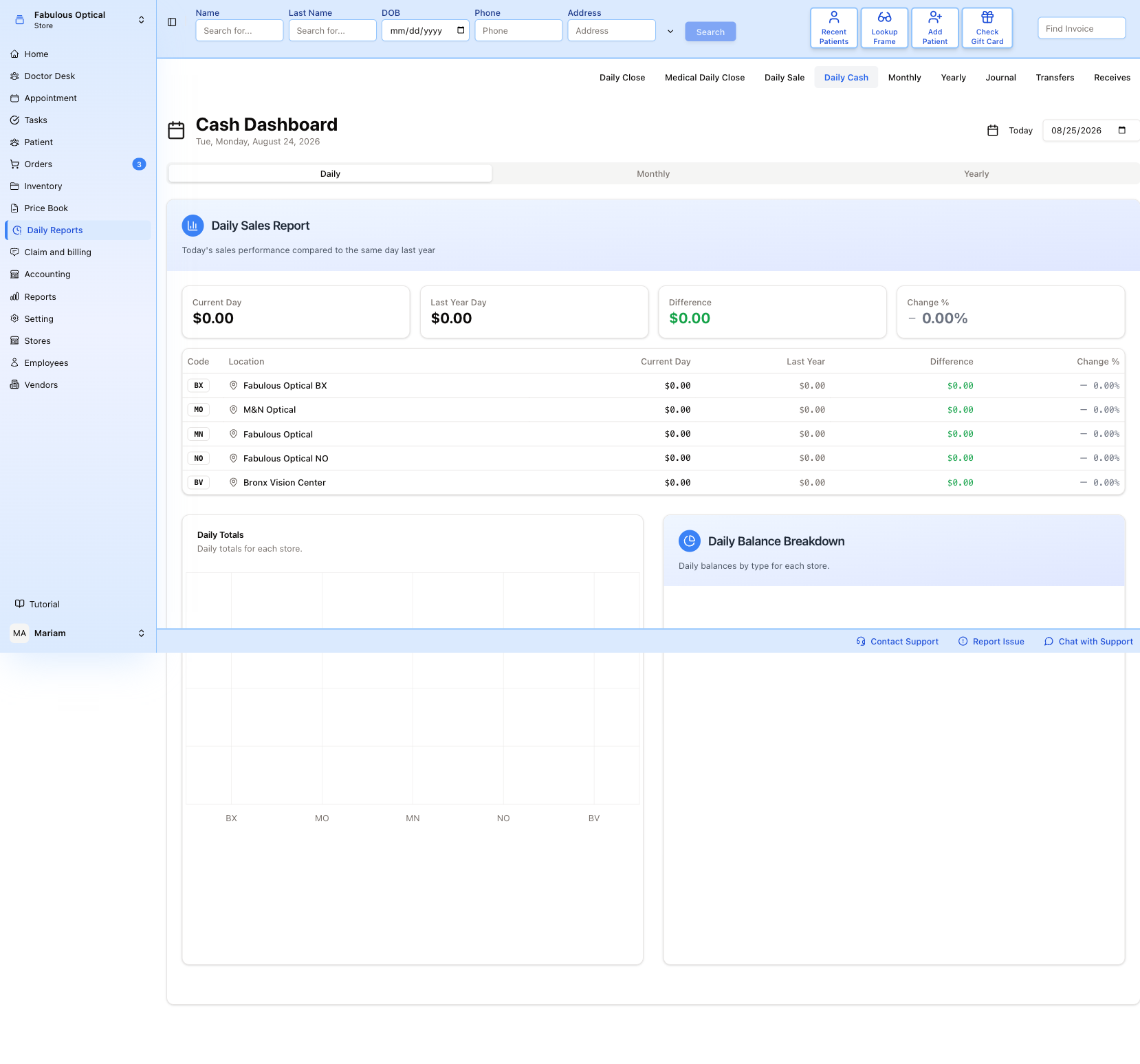
Cash Dashboard is laid out exactly like Daily Sale — Daily / Monthly / Yearly across the middle, four figures on top, a row per store underneath, two charts below — but it answers a different question. Daily Sale is what you sold; Daily Cash is what you took. On a day of insurance work the two are nowhere near each other.
The date picker sits top right. The word Today beside it is only a label, not a button — to go back to today, pick today's date. Every store you are allowed to see appears with its code (BX, MO, MN, NO, BV) whether or not it traded, so a wall of $0.00 early in the morning is normal rather than a fault. As on Daily Sale, a dash means there is no figure, not zero.
Monthly and Yearly — the roll-ups
Both are called Receipts Report and both are one small form plus a table. Neither shows anything until you press Generate Report.
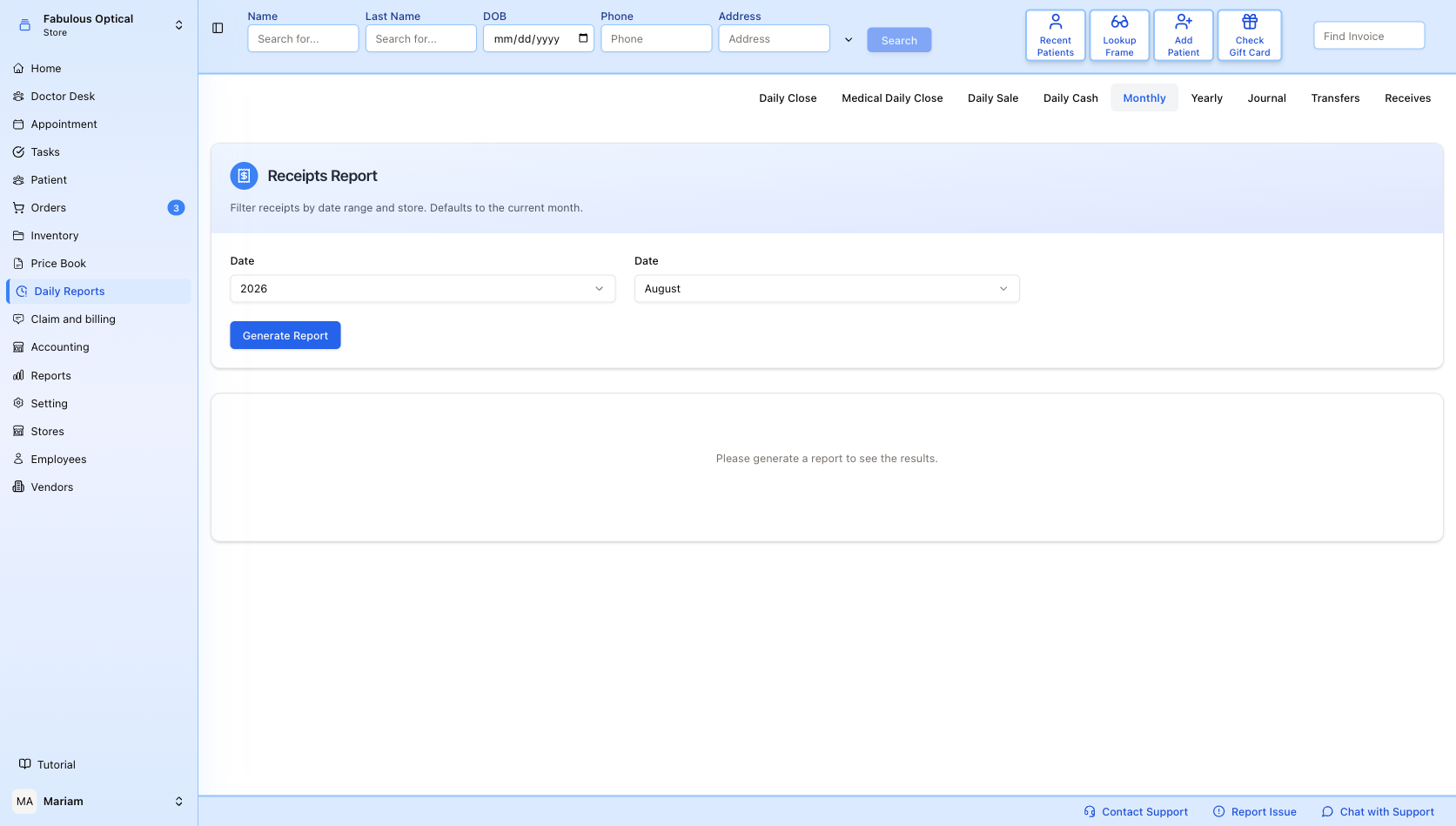
Monthly asks for a year and a month — the two dropdowns are both labelled Date; the left one is the year, the right one the month. The blurb above them mentions a store filter that this page does not actually have.
Generate Report brings back one row per store — every store where you hold Monthly that had invoices that month — with Location, Gross Sales, Interco Sales, Net Sales and Total Tax. Gross, net and tax are the month's sales invoices only: a vendor delivery received that month is not a sale, and an invoice with several returns counts once, all its returns taken off Net Sales. Interco Sales is the value of what the store transferred to the practice's other locations. For the same month day by day, use the Accounting Report under Accounting reports.
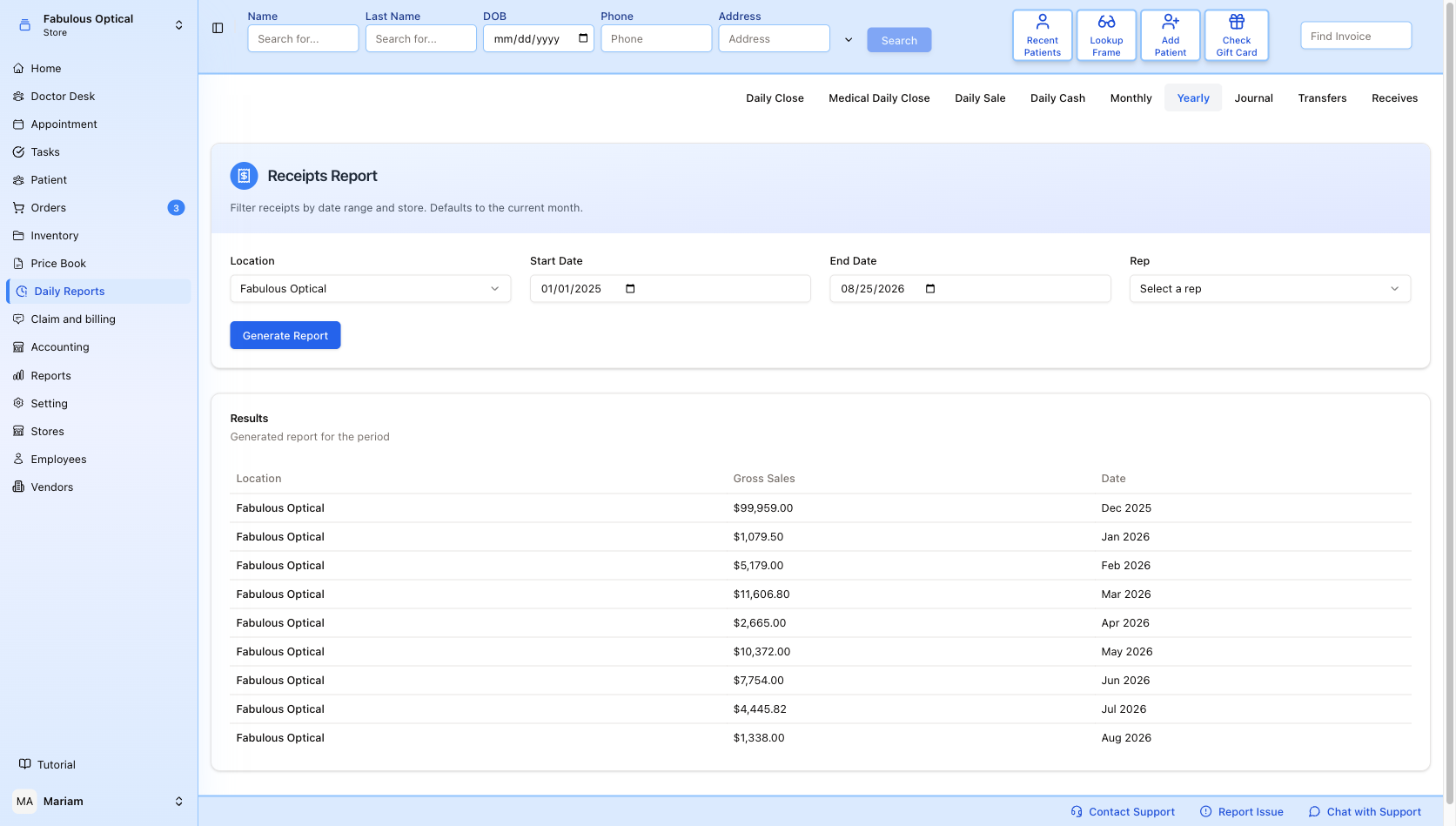
Yearly is the useful one. Location, Start Date, End Date and an optional Rep. The dates have the same problem as on Journal — see Good to know. The result is one row per month — Location, Gross Sales, Date — so a single run gives you the shape of the year at a glance. The Location list holds only the stores where you have the Yearly permission.
Transfers — stock moved between locations
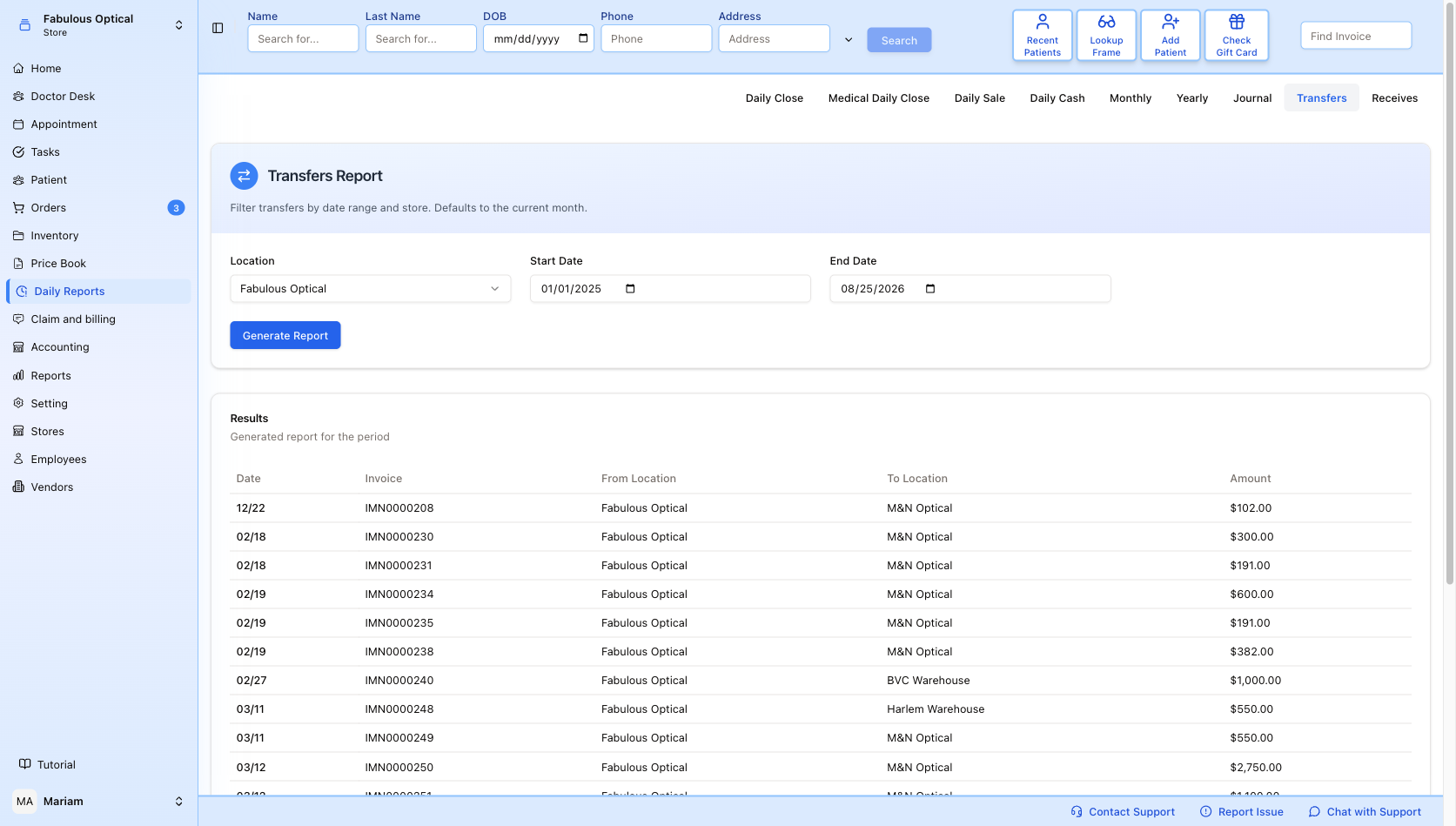
Location, Start Date, End Date, then Generate Report. One row per transfer: Date, Invoice (the IMN number), From Location, To Location, Amount, with a Total line at the bottom. Warehouses appear here alongside shops, so a frame going from the shop floor to the BVC Warehouse shows up the same way as one going to another store.
Note the Date column prints only the day and month — 03/11 — with no year, so over a range that spans a new year the ordering is your only clue as to which is which.
Receives — the vendor deliveries
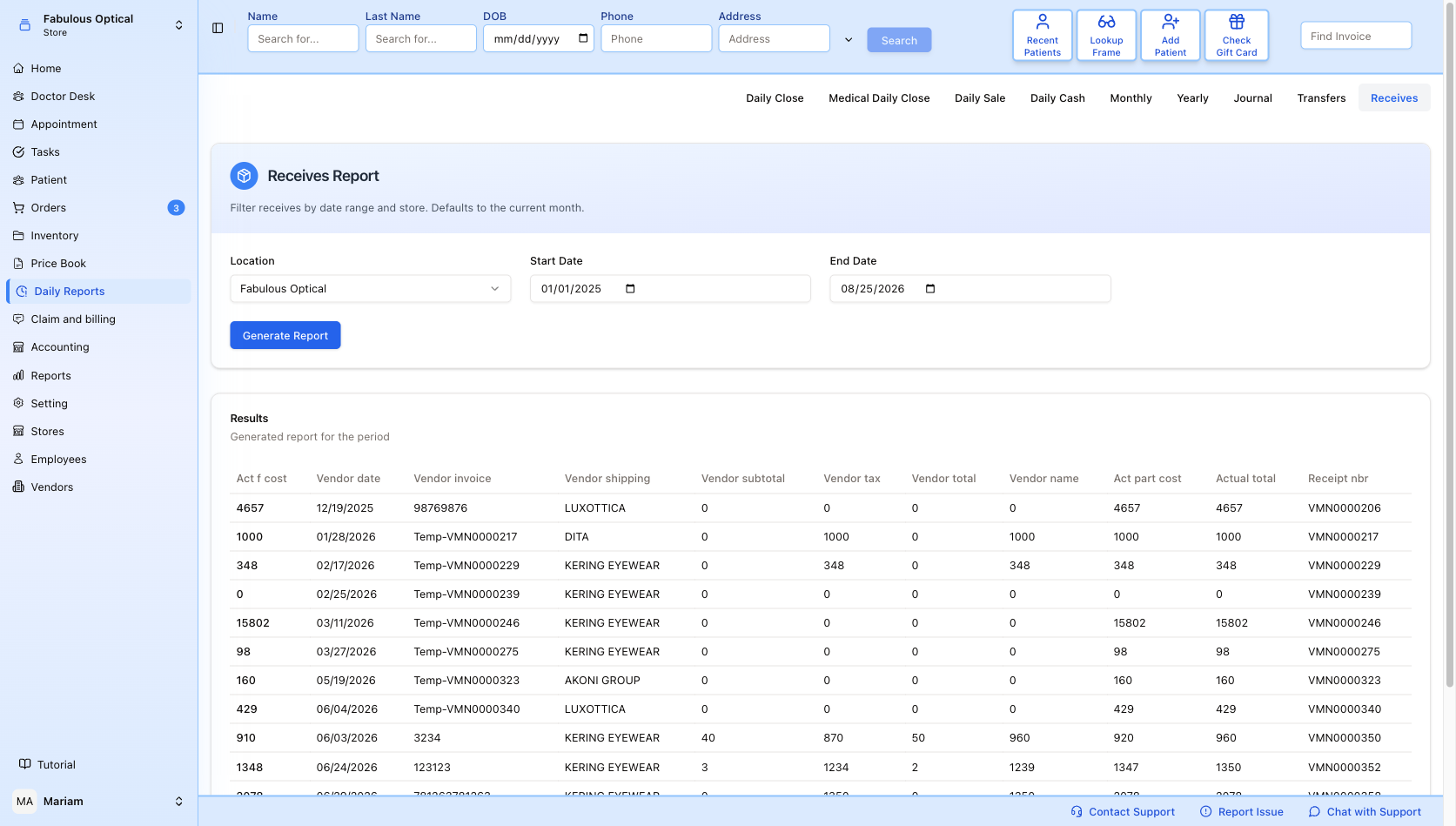
Same three filters, and the widest table in the section: Act f cost, Vendor date, Vendor invoice, then the vendor's own figures — shipping, subtotal, tax, total — followed by Act part cost, Actual total and the Receipt nbr (the VMN number).
It lists the store's vendor deliveries. A store whose warehouse receives for it no longer takes deliveries itself — they are checked in at the warehouse — so for such a store the page lists its warehouse's deliveries together with the ones the store took in before.
The column headings do not line up with what is underneath them. From the fourth column onwards everything is labelled one place to the right: the column headed Vendor shipping holds the vendor's name, Vendor subtotal holds the shipping, Vendor tax holds the subtotal, Vendor total holds the tax, and Vendor name holds the total. It is obvious once you see it — the Vendor shipping column is full of LUXOTTICA and KERING EYEWEAR — but read the figures one column to the left of where the heading says until it is fixed.
Good to know
- "No access to this report" is about one store. You may well have the same report at another store. Switch your store at the top left, or pick another location in the list, before asking a manager.
- A store missing from the Location list on Yearly, Journal, Transfers or Receives is not a fault — you do not hold that report for that store.
- Dates on Yearly, Journal, Transfers and Receives. They are meant to open on January of last year to today, but they are emptied as soon as the Location list loads, and an empty date stops the report with Start date is required or End date is required. Typing or picking a date by hand does not help at the moment: the box may show the day before the one you chose, and Generate Report then does nothing at all. This is a fault in the current version — if one of these four pages will not run for you, report it rather than retrying.
- The Closing Date is your local day. Closing late in the evening still closes today, not tomorrow.
- A dash is not zero. On Daily Sale and Daily Cash it means no figure came back for that cell.